

Total Recorder is a simple-to-use yet powerful and comprehensive audio recorder capable of saving the captured sound to audio files of various formats. Besides the ubiquitous MP3 format, it can also save the recordings to WAV, WMA, Ogg Vorbis, FLAC, APE formats. It can be used as a simple audio encoding tool and convert audio files between the supported formats.
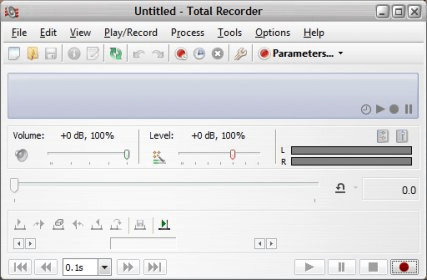
Another nice thing about this program is the fact that it can record the sound from various sources and applications, such as the VoIP calls, Internet-telephony conversations, the playback of local audio files or of the stream of online radio stations, and basically any sound passing through the sound card of your computer. It’s a comprehensive tool that offers plenty of features, functions and handy additional tools. For example, it can normalize the volume of the recordings or it lets you edit the tags of the output audio file. It also offers a neat playlist manager and it allows easily scheduling the playbacks or recordings. As you can see, Total Recorder has indeed a lot to offer. Even thought it is quite a feature-rich application, using it is not difficult at all. Its interface is simple and intuitive, and even beginners can use it with ease. It even has a recording wizard that simplifies things even more.
In conclusion, it’s a nice sound recording tool that offers all the basic features one might expect from a program of this kind. It has no remarkable flaws or downsides and it’s price is reasonable, therefore, it gets my recommendation as well.





Comments (2)
Probably the best that's out there (I certainly don't know anything better for that task).